








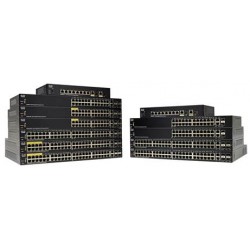




1000Mbps Cloud Easy Smart PoE/ Ethernet Switch WI-PCES552FH
Click Image for Gallery
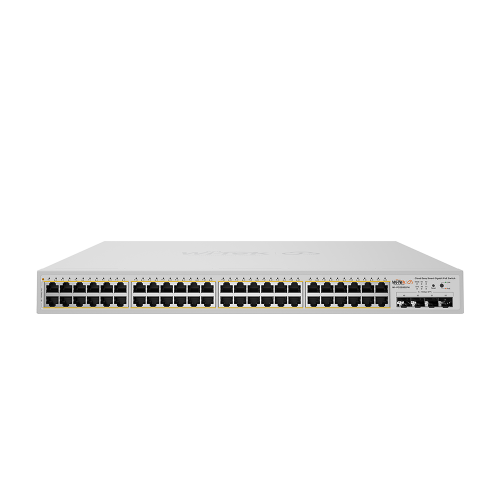
1000Mbps Cloud Easy Smart PoE/ Ethernet Switch WI-PCES552FH
WI-PCES552FH
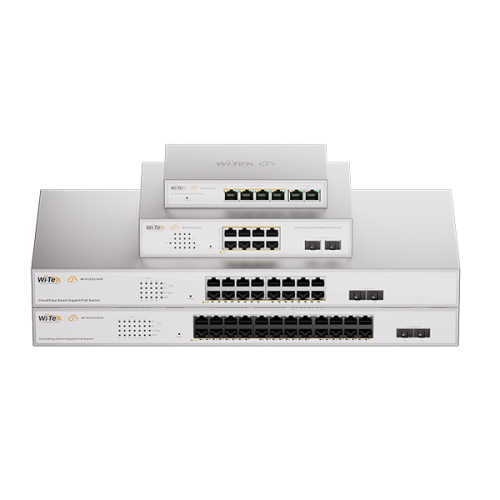
Cloud Easy Smart Managed 4/8/16/24/48 1G PoE+/Hi-PoE/RJ45, 2 1G RJ45 and 2/4 1G/10G SFP PoE Access Switches
Key Features
- 48*10/100/1000Mbps RJ45 Ports, 4*10Gbps SFP Slots
- Port1-48: 802.3af/at 30W
- Total power budget of up to 424W
- Support port automatic anti-loop to ensure network continuity
- Support alarm notifications, easy to maintain in real time
- Support Onvif protocol to automatically identify IP camera
- Support link aggregation for increasing the network bandwidth and reliability
- Support QoS to ensure high-priority services can work normally
- Support Voice VLAN to improve the quality of VolP communication
- Support IGMP Snooping for effectively prevent L2 flooding of multicast flow and improve network performance
- Support Wi-Tek Cloud management for real-time monitoring and remote configuration
Specifications
| Hardware Specifications | |
|---|---|
| Hardware Version | V1 |
| Interfaces | |
| Downlink Ports | 48 *10/100/1000Mbps RJ45 Ports |
| Uplink Ports | 4 *10Gbps SFP+ Slots |
| PoE | |
| PoE Port | Port 1-48 |
| PoE Standard | Port 1-48: IEEE802.3 af/at |
| PoE Pin Assignment | 1/2(+), 3/6(-) |
| PoE Power | 30W Max. for port 1-48 370W Max. for PoE power budget |
| Performance | |
| Flash Memory | Memory 1024MB Flash 64MB |
| Switch Property | |
| Standards and Protocols | IEEE802.3i IEEE802.3x IEEE802.1ab IEEE802.1q IEEE802.3u IEEE802.1p IEEE802.3ab IEEE802.3af IEEE802.3z IEEE802.3at IEEE 802.3ae |
| Forwarding Mode | Store and Forward |
| Switching Capacity | 176Gbps |
| Packet Forwarding Rate | 130.95Mpps |
| MAC Address Table | 32K |
| Packet Buffer Memory | 16Mbit |
| Jumbo Frame | 12KB |
| Power Supply | |
| Input Power | AC: 100-240V, 50/60Hz |
| Power Consumption | Idle: 54W 100% Traffic Rate with PoE: 424W |
| Physical Characteristics | |
| LED Indicators | SYS(Green): Off: The system is being started or abnormal Blinking: The system is working normally Mode(Green or Orange): With the switching of the Link/PoE Status Switch Button mode, it changes to two color states: Green(Link) and Orange(PoE). Green by default Link/PoE(Indicators above the ports): Link(Green): Solid On: The port is connected with 10/100/1000Mbps speed Blinking: Data transmission Off: Port disconnected PoE(Orange): Solid On: PoE enabled Off: PoE disabled SFP Indicator(49, 50, 51, 52) Green Solid On: The port is connected with 1/10Gbps speed Blinking: Data transmission Off: Port disconnected |
| Switch Dimension | 440*330*44mm (L*W*H) |
| Package Dimension | 518*445*128mm |
| Weight | Net Weight: ? kg Package Weight: ? kg |
| Fan Quantity | 2(Automatically adjusts rotation speed based on temperature) |
| Installation | Rack mounted and Desktop installation |
| Buttons | |
| Reset | Hold for >5 sec. to restore factory default |
| Link/PoE Status Switch Button | To switch between Link or PoE status modes. Link mode(Green) by default |
| Environmental | |
| Reliability | IEC 61000-4-5 Surge Immunity Common mode ±6KV Differential mode ±6KV IEC 61000-4-2 Contact discharge ±6KV ESD Protection Air discharge ±8KV |
| Operating Temperature | -10°C ~ 50°C(14°F to 122°F) |
| Operating Humidity | 10% ~ 90% RH no condensation |
| Storage Temperature | -40°C ~70°C(-40°F to 158°F) |
| Storage Humidity | 5% ~ 90% RH no condensation |
| Certification | |
| Certification | CE, FCC, RoHS, UKCA, RCM |
Related Products
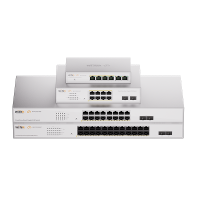
1000Mbps Cloud Easy Smart PoE/ Ethernet Switch WI-CES320GF
WI-CES320GFCloud Easy Smart Managed 4/8/16/24/48 1G PoE+/Hi-PoE/RJ45, 2 1G RJ45 and 2/4 1G/10G SFP P..
Please log in for price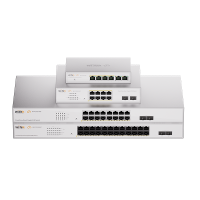
1000Mbps Cloud Easy Smart PoE/ Ethernet Switch WI-CES328GF
WI-CES328GFCloud Easy Smart Managed 4/8/16/24/48 1G PoE+/Hi-PoE/RJ45, 2 1G RJ45 and 2/4 1G/10G SFP P..
Please log in for price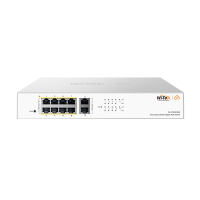
1000Mbps Cloud Easy Smart PoE/ Ethernet Switch WI-PCES310G
WI-PCES310GCloud Easy Smart Managed 4/8/16/24/48 1G PoE+/Hi-PoE/RJ45, 2 1G RJ45 and 2/4 1G/10G SFP P..
Please log in for price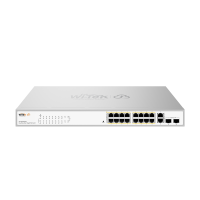
1000Mbps Cloud Easy Smart PoE/ Ethernet Switch WI-PCES320GFH
WI-PCES320GFHCloud Easy Smart Managed 4/8/16/24/48 1G PoE+/Hi-PoE/RJ45, 2 1G RJ45 and 2/4 1G/10G SFP..
Please log in for price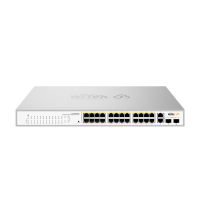
1000Mbps Cloud Easy Smart PoE/ Ethernet Switch WI-PCES328GFH
WI-PCES328GFHCloud Easy Smart Managed 4/8/16/24/48 1G PoE+/Hi-PoE/RJ45, 2 1G RJ45 and 2/4 1G/10G SFP..
Please log in for price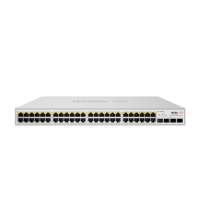
1000Mbps Cloud Easy Smart PoE/ Ethernet Switch WI-PCES352GF
WI-PCES352GFCloud Easy Smart Managed 4/8/16/24/48 1G PoE+/Hi-PoE/RJ45, 2 1G RJ45 and 2/4 1G/10G SFP ..
Please log in for price